Draft and automate legal documents directly in Word
Lawyers work in Microsoft Word.
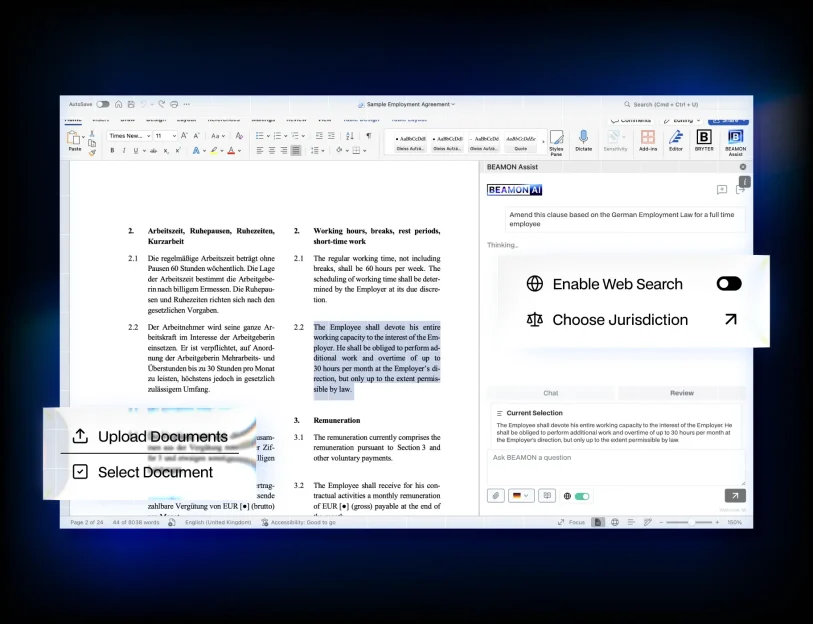
BEAMON’s Word Add-in brings legal automation directly into Word, so teams can create dynamic templates, insert structured placeholders, and generate documents without leaving their drafting environment.
- Full access
- No credit card required

“We looked at many AI solutions, but BRYTER’s was the one that best suited our needs – efficiency gains through targeted AI support for the tasks and workflows most relevant to our core practice areas.”
Dr. Constanze Kugler
Counsel and AI expert, REIUS.

Trusted by legal teams

Build legal templates without changing how lawyers work
Legal document automation often requires switching between systems or learning new tools. With the BEAMON Word Add-in, lawyers stay inside Microsoft Word while preparing templates for automation. Placeholders and commands can be inserted directly into the document, turning standard Word files into structured, reusable templates.
This reduces friction and keeps document automation aligned with how legal teams already draft.
- Full access
- No credit card required
Turn Word documents into automated templates
The BEAMON Word Add-in allows lawyers to insert structured placeholders into contracts, policies, letters, and other legal documents. These placeholders connect to BEAMON workflows and data inputs, enabling documents to be generated automatically based on structured information.
Instead of manually updating names, clauses, dates, or variables, legal teams prepare templates once and let BEAMON populate them consistently.
- Full access
- No credit card required
Maintain control over formatting and legal content
Document automation should not compromise drafting quality. With the BEAMON Word Add-in, lawyers retain full control over layout, formatting, and legal wording. Templates remain standard Word documents, enriched with placeholders that integrate into BEAMON workflows.
The Add-in supports structured drafting while ensuring that lawyers remain responsible for content and final review.
- Full access
- No credit card required
Integrate document automation into legal workflows
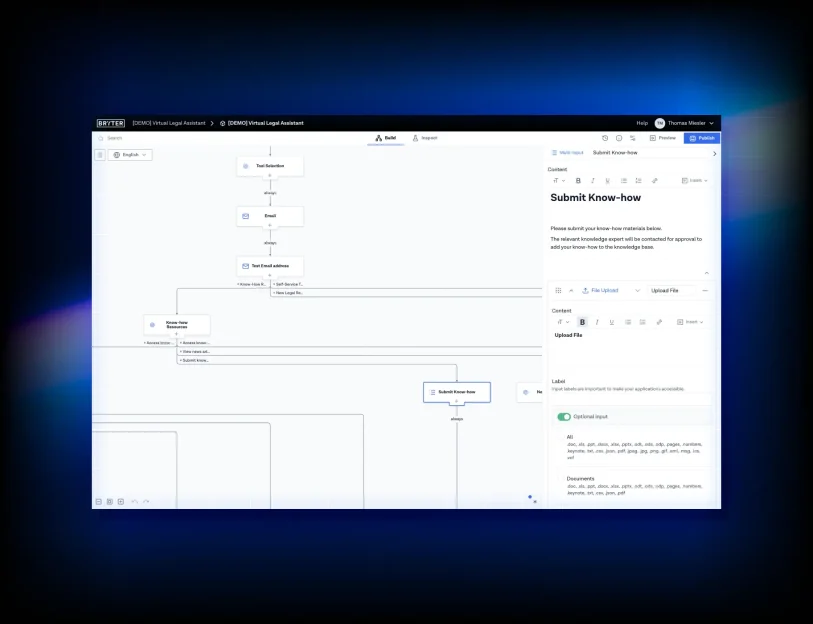
Once templates are prepared using the Word Add-in, they can be connected to BEAMON workflows, data collection, and approval processes. Structured inputs flow directly into documents, enabling faster document generation with fewer manual steps.
This allows legal teams to move from intake to finalised document efficiently and consistently.
Use Cases
Summarize
Turn lengthy documents into accurate, source-linked summaries. Choose the level of detail and keep citations attached.
Review
Accelerate document review with clause comparison, risk highlights, and policy checks.
Draft
Produce high-quality first drafts guided by your style and precedents.
Due Diligence
Ingest large data sets and surface issues across contracts, filings, and correspondence.
Timelines & Tables
Transform unstructured documents into chronologies, issue lists, and obligation tables.
Translate
Deliver legal-grade translations that preserve formatting, numbering, and defined terms.
Knowledge integration
Connect iManage, SharePoint, and other repositories so the right precedents appear in context.
Key Features
Research & Content
Search across public law, licensed databases, and internal content. See reasoning steps, supporting authorities, and alternatives.
Drafting
Design and assemble documents directly in BEAMON. Start from structured outlines and reusable clause blocks to generate filing‑ready drafts fast.
Hallucination control
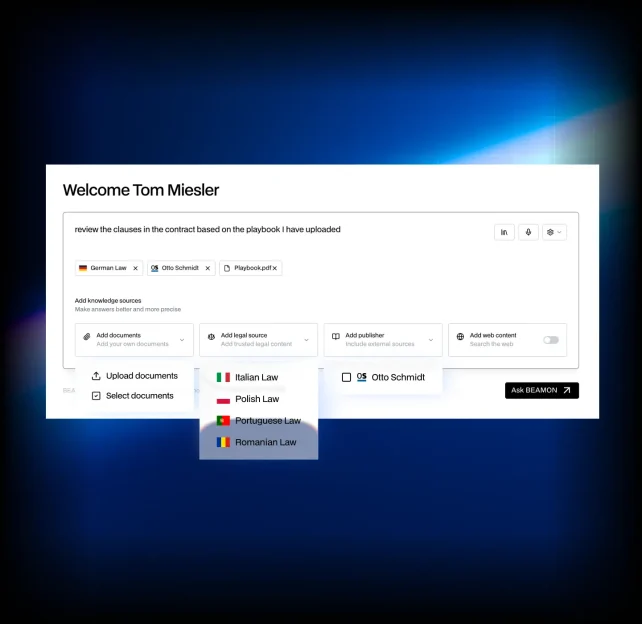
Every chat can be grounded in trusted Legal Sources and Content Partner sources to minimize hallucation and prevent speculative answers.
References
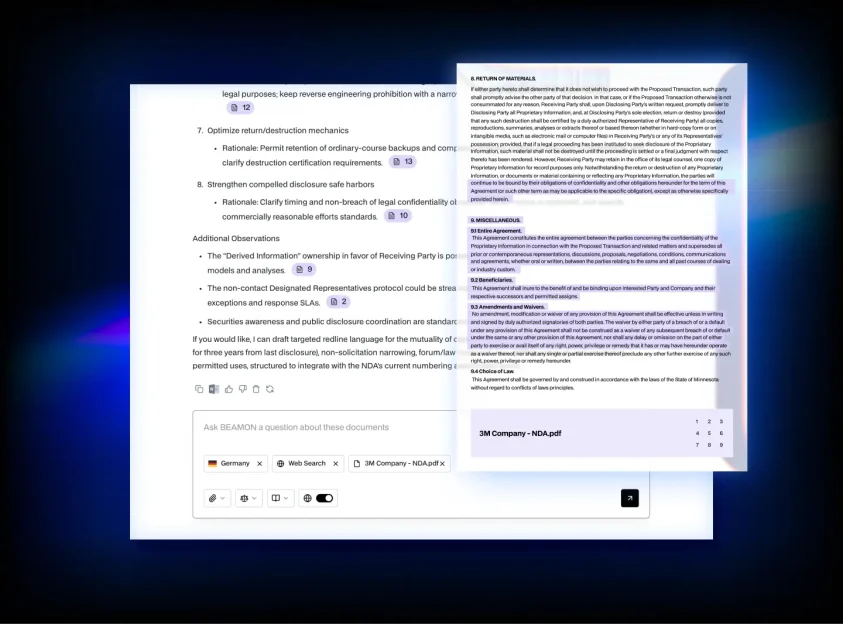
Automatic footnotes and references into document and sources. One‑click jump from a sentence to the underlying authority.
Prompt Library
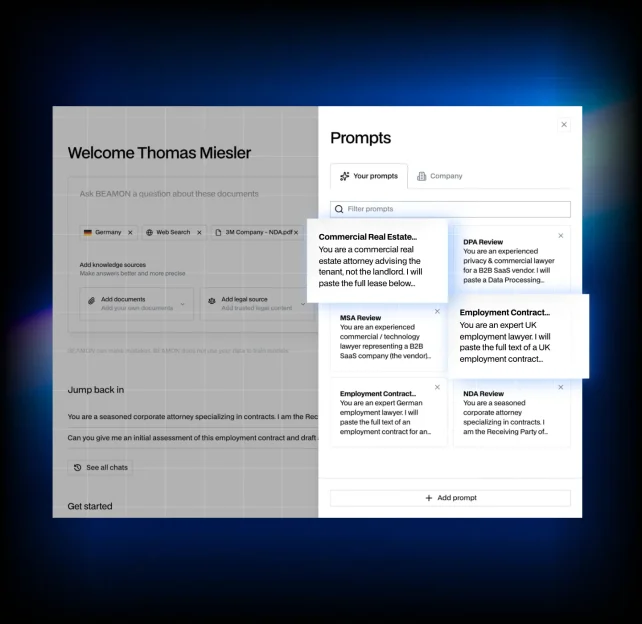
Curated, firm‑approved prompts for recurring tasks, versioned and governed. Embed best practices, preferred style, and thresholds so results are consistent. Share, rate, and iterate prompts to spread expertise quickly.
Internal Knowledge
Bring your DMS and internal knowledge into BEAMON’s knowledge layer – ethical walls and matter permissions intact. Responses are grounded in your documents and other knowledge sources.