BEAMON Extract: review many legal documents at once
Legal teams lose time when they have to read similar documents one by one to answer the same questions.
BEAMON Extract helps lawyers review large sets of documents faster by extracting specific legal information across many files in a single, structured view.
- Full access
- No credit card required
What our clients say:
“We looked at many AI solutions, but BRYTER’s was the one that best suited our needs – efficiency gains through targeted AI support for the tasks and workflows most relevant to our core practice areas.”

Dr. Constanze Kugler
Counsel and AI expert, REIUS.










Review similar documents without reading them individually
Legal review work often involves answering the same questions across many documents. Lawyers open each file, search for clauses, take notes, and build tables manually. This process is slow, repetitive, and hard to scale—especially when deadlines are tight.
BEAMON Extract is designed for exactly these situations.
- Full access
- No credit card required
Ask many legal questions across many documents at once
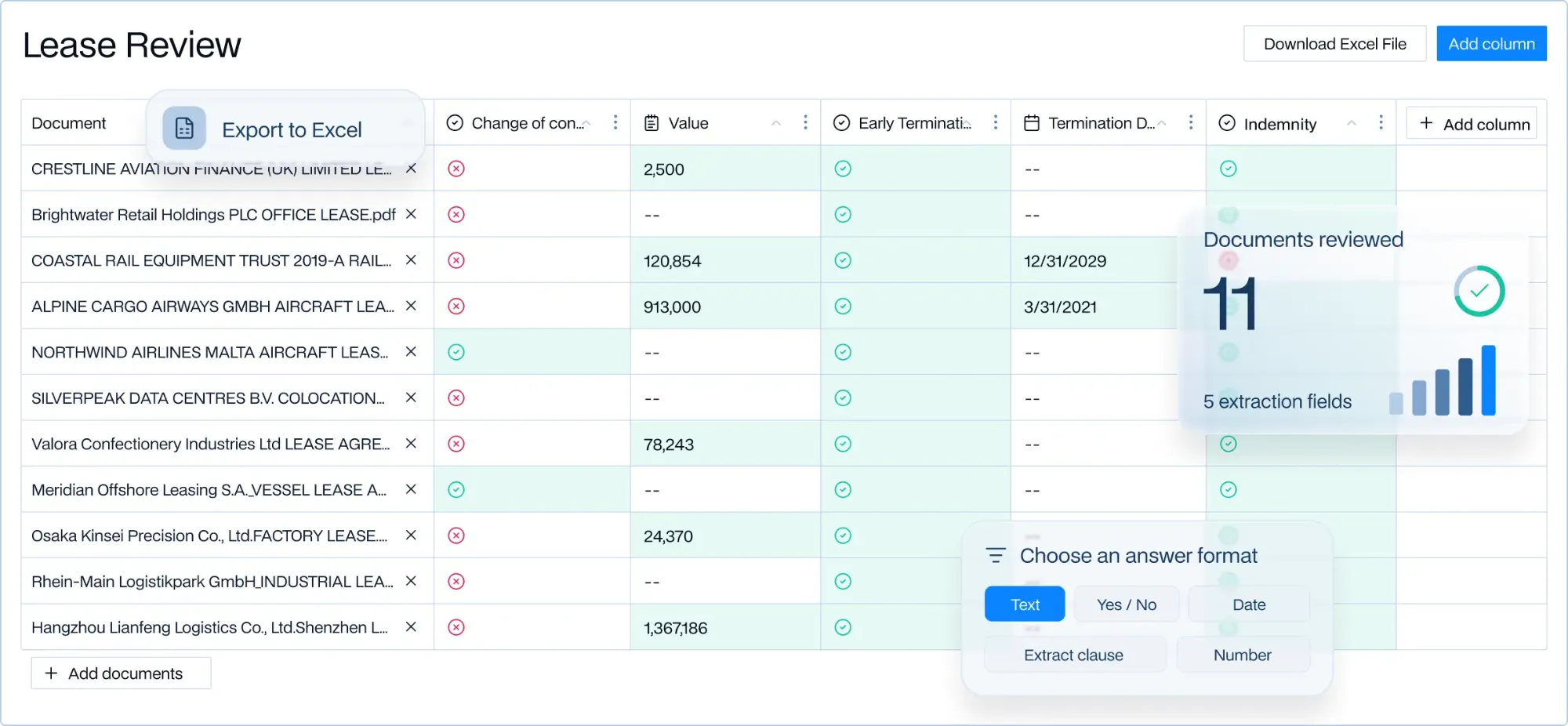
BEAMON Extract takes the power of BEAMON Assist and applies it at scale. Instead of asking one question on one document, lawyers define a set of legal questions and apply them across an entire document collection.
Extract presents the results in a structured review table that looks and feels like a spreadsheet. Each row represents a document. Each column represents a legal question. BEAMON fills the table automatically by analysing every document.
- Full access
- No credit card required
Verify every extracted answer in the source document
Extracted information only matters if it can be checked. BEAMON Extract shows references for every answer, linking directly back to the exact place in the document where the information was found.
Lawyers can click a cell, review the source text, and jump straight to the relevant passage. If needed, answers can be edited. The lawyer remains fully responsible for what is ultimately used.
- Full access
- No credit card required
Adapt the review as requirements change
Legal reviews are rarely static. With BEAMON Extract, lawyers can add new questions, change answer formats, or include additional documents at any time. Questions can be precise—such as yes/no, dates, numbers, clauses, or short descriptions—and tailored to how results should be presented.
As documents or questions change, the review grid updates accordingly.
- Full access
- No credit card required
Turn review results into usable outputs
Once the review is complete, BEAMON Extract allows teams to export results for reporting, collaboration, or further automation. Many teams use the extracted data to create summaries, reports, or feed information into downstream workflows and document automation.
Extract supports collaboration, progress tracking, and integration into broader legal processes—without changing how lawyers review and validate results.
- Full access
- No credit card required
Use Cases

Legal Research & Questions
Answer legal questions using your firm’s own knowledge as well as trusted sources. We collaborate with leading publishers and professional information.

Review Contracts & Documents
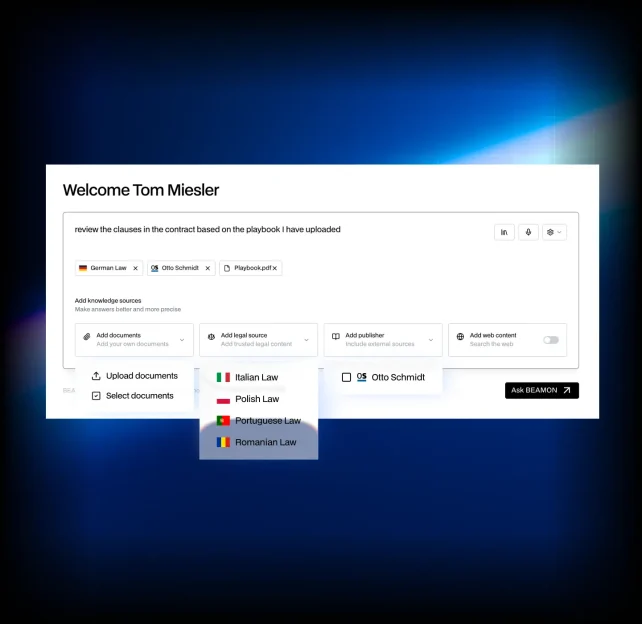
Review documents against your playbooks and precedents, flag issues, and generate redlines. Extract information and datapoints from hundreds of contracts, filings, and other documents.

Summarize Cases & Files
Get the key facts, arguments, issues, and citations from a pleading, contract, or entire matter. Turn long documents into the desired format.

Build Timelines & Tables
Turn case files and document sets into chronologies, issue lists, obligation tables, and structured outputs.

Draft Legal Documents
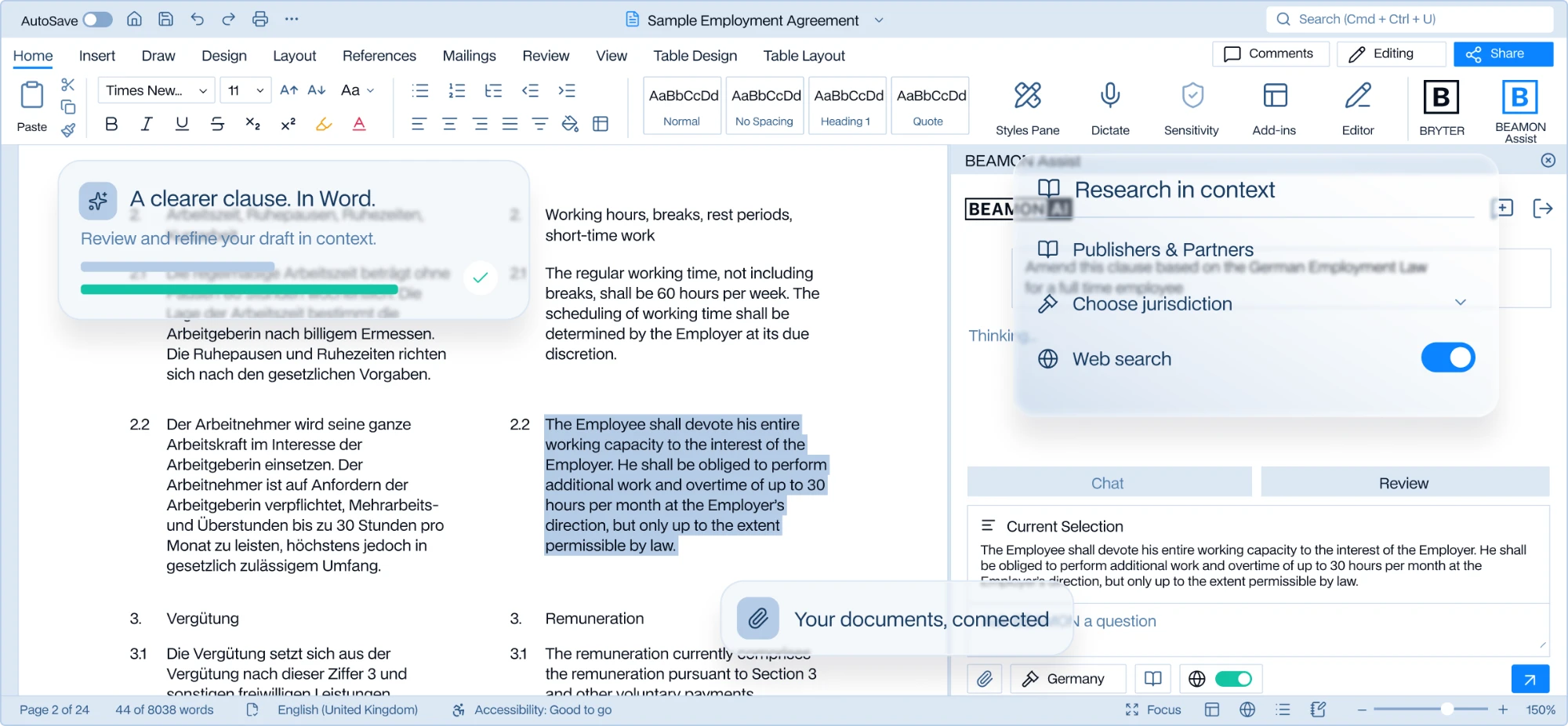
Draft contracts, pleadings, memos, and other legal work from your templates and precedents. Use the MS Word plugin to work directly in your Word Documents

Knowledge Integration
Connect iManage, SharePoint, and other repositories so the right precedents appear in context.

Translate
Deliver legal-grade translations that preserve formatting, numbering, and defined terms.
Key Features
Research & Content
Search across public law, licensed databases, and internal content. See reasoning steps, supporting authorities, and alternatives.
Drafting
Design and assemble documents directly in BEAMON. Start from structured outlines and reusable clause blocks to generate filing‑ready drafts fast.
Hallucination control
Every chat can be grounded in trusted Legal Sources and Content Partner sources to minimize hallucation and prevent speculative answers.
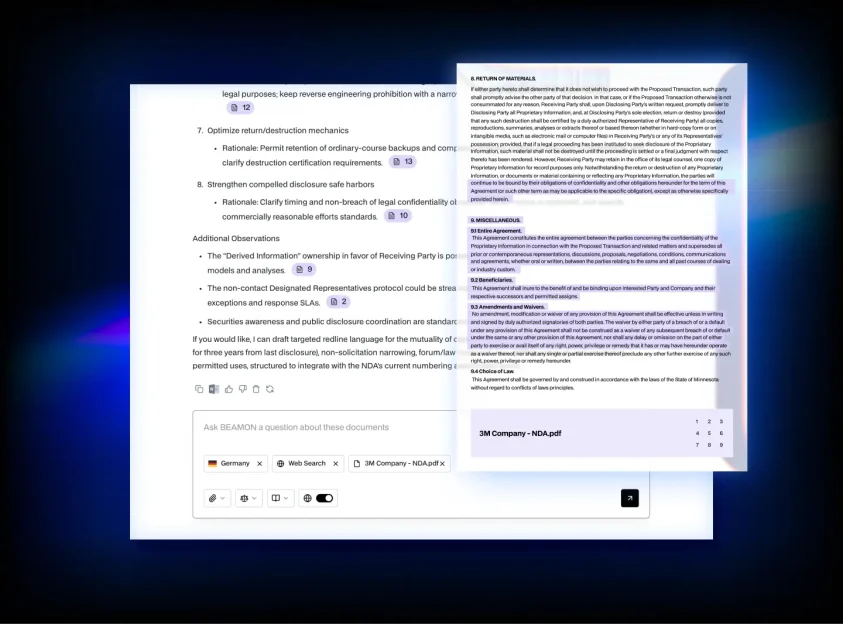
References
Automatic footnotes and references into document and sources. One‑click jump from a sentence to the underlying authority.
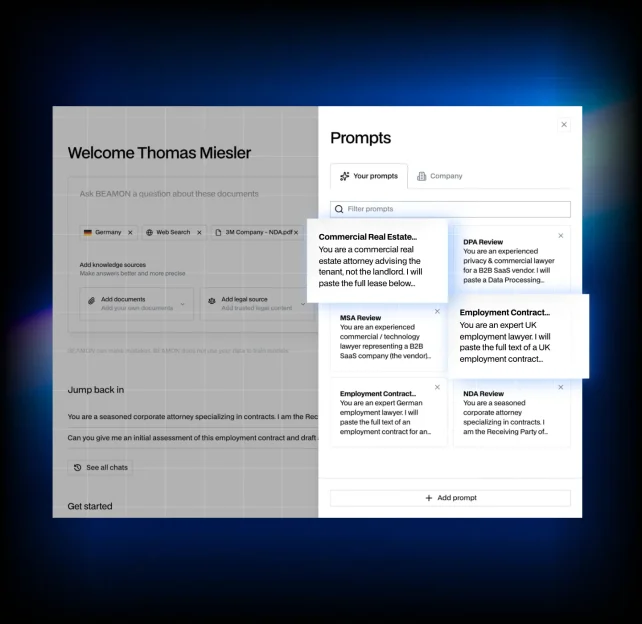
Prompt Library
Curated, firm‑approved prompts for recurring tasks, versioned and governed. Embed best practices, preferred style, and thresholds so results are consistent. Share, rate, and iterate prompts to spread expertise quickly.
Internal Knowledge
Bring your DMS and internal knowledge into BEAMON’s knowledge layer – ethical walls and matter permissions intact. Responses are grounded in your documents and other knowledge sources.